


Car Video AI Software: How to Choose It for Your Dealership
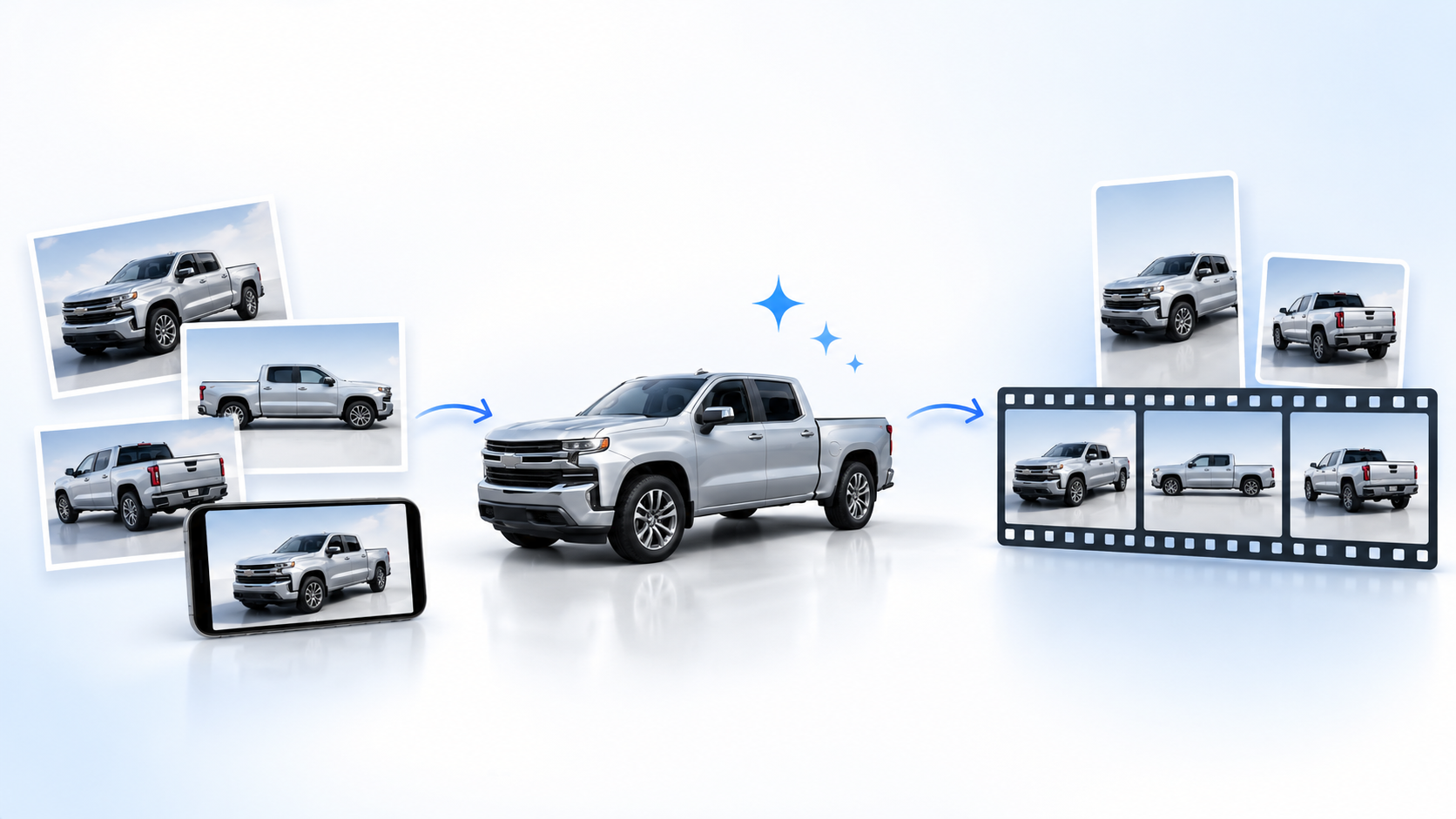
Car video AI software uses artificial intelligence to create or edit vehicle videos from photos, footage, and inventory information. For a dealership, the right software should represent the actual vehicle accurately, fit the team’s existing workflow, and produce videos that can be reviewed and used on the intended channels.
The decision is not simply which tool produces the most impressive demonstration. It is which tool helps your team produce useful vehicle content consistently.
TL;DR
- Choose software around your inventory workflow, not a single visual effect.
- Check vehicle accuracy, source data, output formats, commercial rights, and publishing requirements.
- Compare the cost of approved, usable videos, including review and revision time.
- Test representative inventory before committing to a wider rollout.
- Confirm which steps a provider automates: video generation is not the same as social publishing or campaign management.
Start with the job the video needs to do
Choose the production approach according to what the viewer needs to understand.
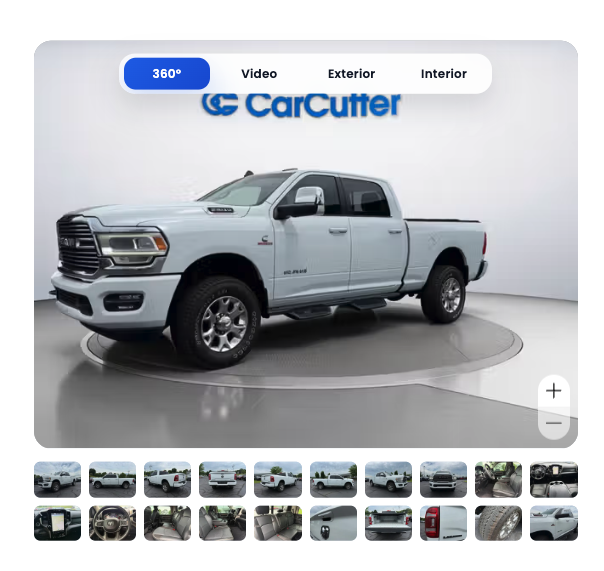
For an inventory introduction, a photo-based video can present the actual vehicle, its interior, and verified selling points. Its job is to give shoppers a clear preview and a useful reason to inspect the full listing.
For a demonstration of a powered roof, folding seat, or engine sound, record the real vehicle. Generated motion should not be presented as evidence of how a mechanical feature operates or how a particular used car sounds.
For a creative brand campaign, a more flexible production process may be appropriate. Keep synthetic scenes separate from factual claims about a specific vehicle for sale.
Making this distinction early prevents you from buying an impressive visual effect when the operational need is dependable inventory content.
What to look for in car video AI software
Evaluate the complete process, from the source material your team supplies to the version a shopper eventually sees.
| Evaluation area | What to ask | What a successful test should demonstrate |
|---|---|---|
| Vehicle accuracy | Does the video preserve the vehicle’s visible details? | Paint, wheels, badges, bodywork, and interior match the source material. |
| Input requirements | Which photos, angles, and data fields are required? | Your capture process supplies the necessary material, or the additional work is understood. |
| Vehicle information | Where do descriptions and selling points come from? | Every published claim can be checked against the vehicle and its current inventory record. |
| Output formats | Can the workflow deliver suitable versions for your intended placements? | Exports work in the actual website player, social placement, or advertising preview. |
| Workflow ownership | Which steps are automated, and which need a person? | Capture, approval, export, publishing, and updates have clear owners. |
| Rights and data handling | What permissions and commercial terms apply? | Image rights, music permissions, access, retention, and reuse terms are understood. |
| Production cost | What happens when a video needs correction? | The evaluation includes setup, staff time, revisions, and required output versions. |
Treat vehicle accuracy as a pass-or-fail requirement. A polished transition cannot compensate for the wrong wheel design, an invented feature, or altered bodywork.
Also separate vehicle identification from feature verification. A vehicle identification number, or VIN, helps identify the vehicle, but your team should still confirm the equipment, mileage, condition, and other claims included in the video.
If the source photography is inconsistent, start by improving your car photos for online listings before judging the video workflow.
Ask what happens after generation
Generating a video, preparing channel-specific versions, and distributing those versions are different jobs.
“Ready to publish” does not necessarily mean a tool automatically posts to every platform, schedules content, manages advertising budgets, or tracks leads.
Ask the provider to demonstrate the precise handoff into your inventory system, website, or publishing process. Confirm the supported connection rather than assuming that a general integration statement covers your setup.
Then test the destination. A file that plays correctly on a computer may still need different framing, text placement, or finishing work for a social placement.
The practical question is not only, “Can the software create this video?” It is, “Can our team reliably get the approved version where it needs to go?”
If you have not chosen your destinations, compare automotive video marketing platforms before deciding which output formats your team needs.

Compare approved-video costs, not generated-file counts
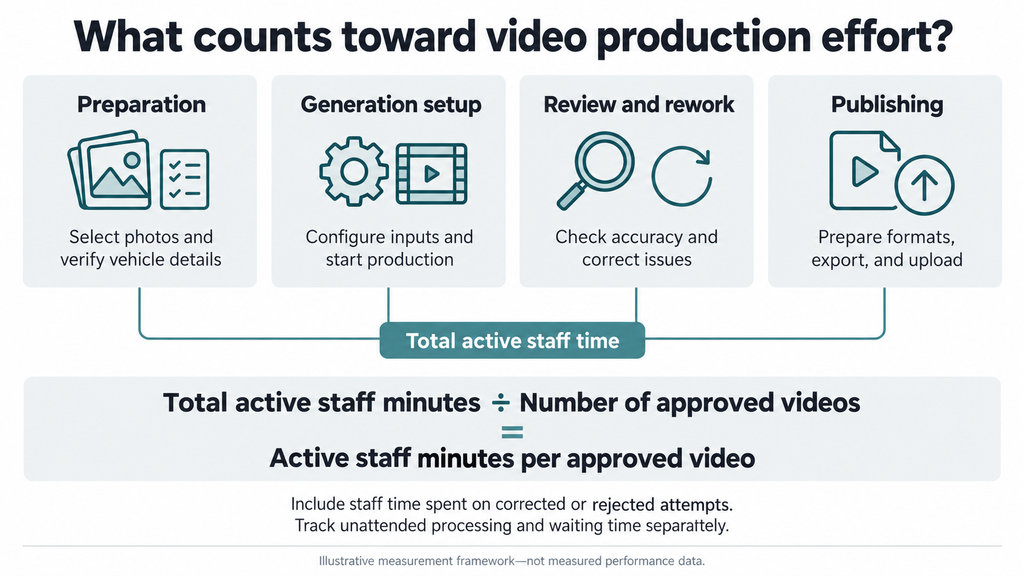
The useful production metric is cost per approved video: how much your team spends to obtain an asset it can actually use.
For the same evaluation period, add software charges, allocated setup costs, active staff production time, and revision costs. Divide that total by the number of approved videos produced during that period.
Cost per approved video = total production cost ÷ approved videos.
Define the counting rule before comparing providers. If one service delivers three crops of one vehicle video, decide whether that counts as one finished asset or three versions. Apply the same rule across the comparison.
Keep advertising spend separate from this production calculation. Buying an efficient content workflow and running an effective media campaign are connected decisions, but they are not the same measurement.
Run a pilot with representative inventory
Use ordinary inventory rather than only the cleanest demonstration images. Include different body styles, paint colors, interiors, and the source-photo problems your team encounters in practice.
Give each provider equivalent material and the same output requirements. Record active staff time, elapsed time to approval, correction requests, and whether the final video passes your accuracy checks.
Track first-pass approval: the share of generated videos approved without correction. A process that looks fast at generation may be less useful if it creates substantial review work.
Agree on acceptance criteria before the pilot starts. At minimum, there should be no material vehicle mismatch, the intended placements should work, and every publishing handoff should have an owner.
Treat a small pilot as an operational test—not proof that video caused a sales increase.
Where CarCutter fits
CarCutter’s AI car videos can be generated from as few as eight standard vehicle photos. Its published workflow uses photography captured through the app, selects views, and overlays VIN-based selling points to create videos intended for websites, social media, and digital campaigns.
That makes CarCutter worth evaluating when you want to build video production around vehicle photography rather than arrange a separate filming session for every inventory introduction.
Photo-based video still serves a different purpose from a recorded demonstration or condition inspection. Keep those formats where they answer questions that photographs cannot.
Before selecting a setup, confirm regional eligibility, required inputs, supported output formats, and the publishing handoff with the CarCutter team.
Once you have chosen a production approach, use our guide to creating AI car videos for social media to plan source selection, review, formatting, and publication.
Choose a workflow your team can sustain
The right car video AI software should make accurate vehicle content easier to produce consistently—not simply make individual videos more elaborate.
Book a CarCutter demo to discuss your photography workflow, intended channels, and evaluation requirements.
FAQ
Not as a starting assumption. First, establish how the video workflow would connect to your current inventory, website, and publishing processes.
Ask the provider to demonstrate the specific connection or export process your team would use. Avoid planning around an integration that has not been confirmed.
Ask for the billing unit, included production volume, onboarding costs, revision or regeneration charges, output versions, usage rights, and support arrangements.
Also clarify what happens to previously created assets if the subscription changes or ends. These are questions to resolve in the commercial terms, not features to assume.