


Studio-quality visuals, right in your hands.
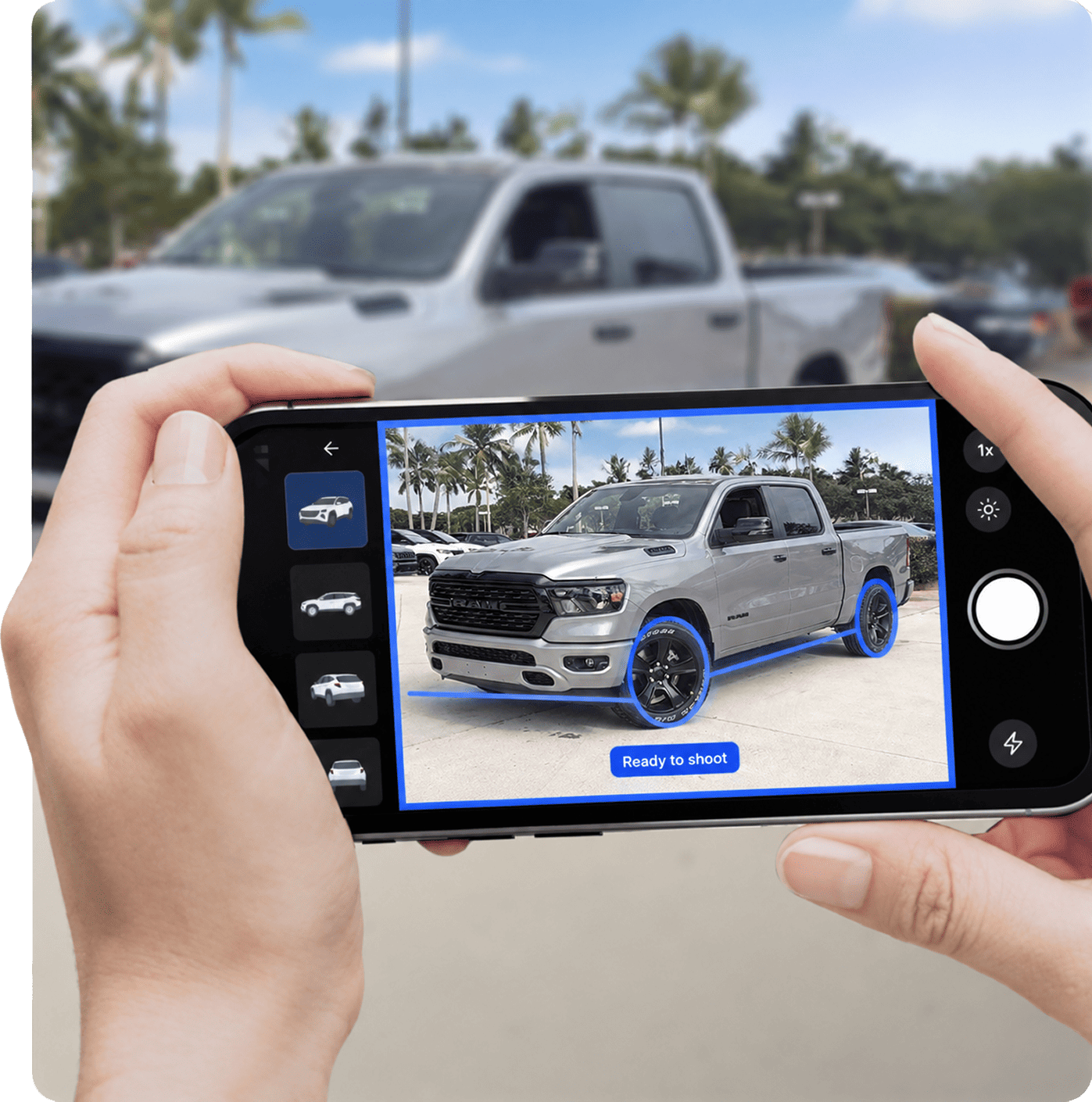
Capture consistent, professional used-car imagery anytime, anywhere. Zero delays, zero equipment, zero training required.
Revolutionizing your photography process

x4 faster
Capture imagery up to 4x faster than freelancers or lot service providers, so you can save time for more important tasks.

Inventory-wide consistency
Consistent, professional imagery across every rooftop and every vehicle, regardless of who’s behind the lens.

Full flexibility
Capture imagery on your terms, whenever and wherever it suits your schedule.
Smart & simple guidance
Built-in, intuitive guidance systems enable flawless used-car imagery, always. Step-by-step prompts and precise framing instructions make capturing quick and easy.
- Cut-off detection
- Exterior, interior and detail guidance
- Angle alignment
 Exterior
 Interior
 Detail
Your virtual photography assistant
Keeping workflows sharp and your team in control, every step of the way.

Shotlist
Easily keep track of which vehicles need imagery, even between rooftops.

OEM Guidelines
Meet brand compliance effortlessly with built-in, customizable OEM guidelines to select from.

Sequence
Predefined sequence of photo angles guides users through every shot, ensuring accuracy and preventing missed images.

Status Tracker
Real-time image status tracking of which vehicles have been photographed, and which still need capturing.
Capture, enhance, sell. Instantly.
Preview your enhanced, professional-grade imagery right from your phone – no waiting, no guesswork. Images are processed in seconds and ready to publish immediately.
Explore Image Enhancement


Direct integration
Fully integrated with your existing tools and workflows. Automatically sync your enhanced images to the destination of your choice: your IMS, the Cloud, SL3 Buckets – no manual work required.
API Documentation


Why dealers choose CarCutter
The #1 solution for professional-grade vehicle photography and scalable consistency across your entire used-car inventory.
Book A Demo
AI guidance
Step-by-step instructions powered by smart AI to ensure consistent framing and angles.

No special equipment
Free download onto your phone from the App Store or Google Play.

OEM compliant
Built-in, customizable guidelines to meet every brand’s requirements.

CarCutter Hub
Your centralized hub for image management, tracking, and reporting.

No lot space required
No space? No problem. Get the shot, even in the tightest parking spots.

Easy integration
Sync effortlessly with your existing tools and workflows.
We easily capture 5-10 cars an hour using the CarCutter app. It’s one of the easiest tools I’ve ever used.


CarCutter is enhancing 10k new vehicles for us per week. These are generally captured, processed and online within 48 hours.


CarCutter’s solution is super flexible, fits within our DVIM (IMS), and enables us to have high-quality pictures.


Instead of wasting time moving cars to dedicated photo spots, we can shoot right on the lot, while still producing high-quality, distraction-free images.


Navigating CarCutter’s app was a breeze, and the images truly elevate our dealership’s website, undoubtedly setting us apart from the competition.


Full-suite of capture types
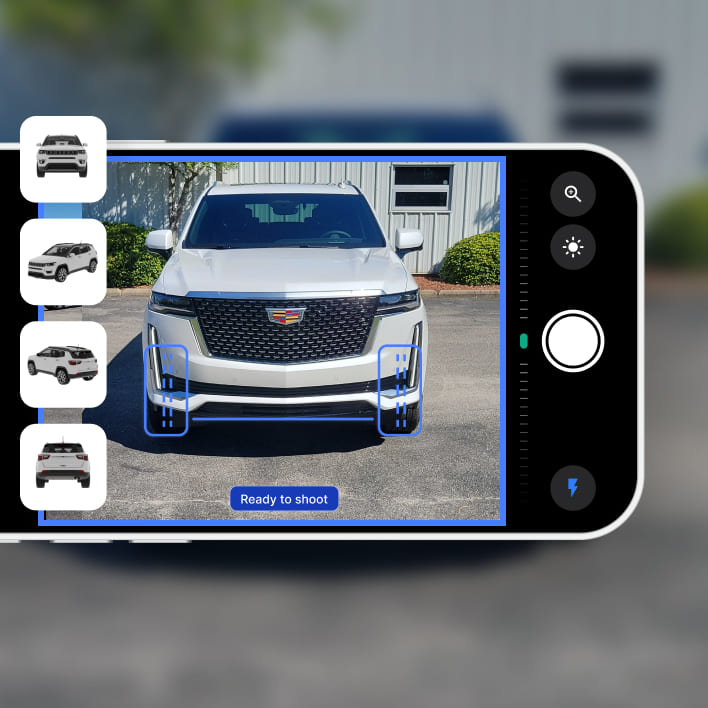
Photos
Multi-angle photos that showcase every vehicle detail, captured with speed and precision.
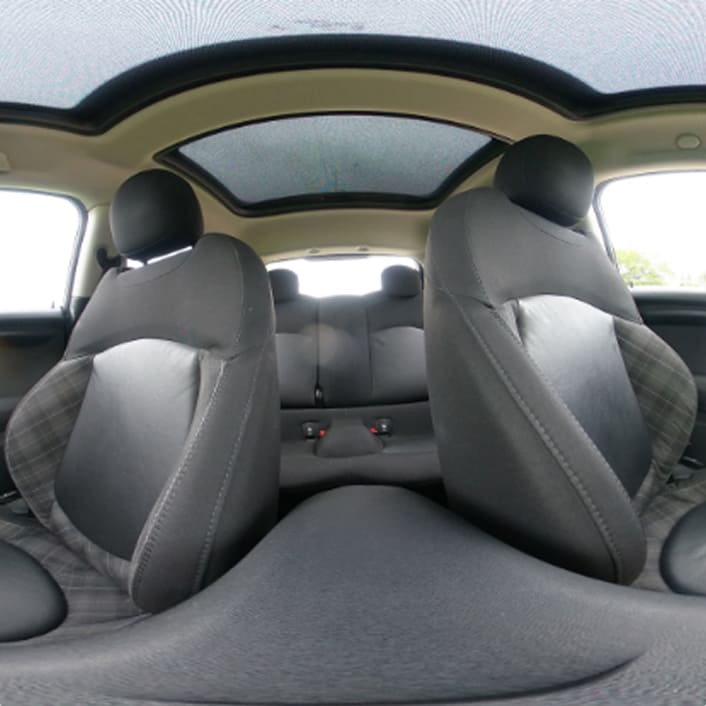
Interior 360°
Interactive interior 360° spins put buyers in the driver’s seat, straight from your website.
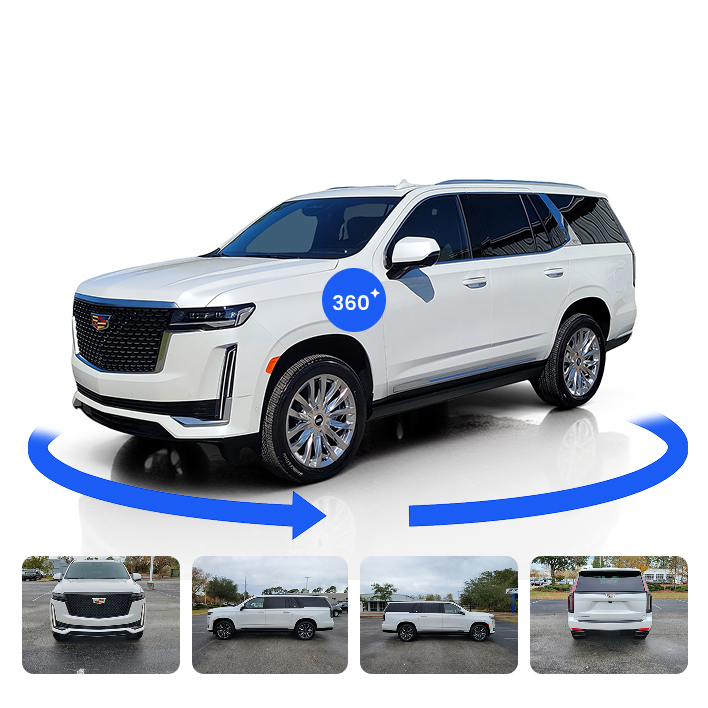
Next Gen 360°
Effortless exterior 360° virtual spin for hands-on vehicle exploration.
No rig, no turntables, no fuss.
Built-in functionality for added precision
- x2 detail zoomAdjust framing from a distance for tighter, clearer shots – perfect for highlighting important, albeit smaller, vehicle details such as dashboard controls, stitching, badges, and gear shifters.
- Exposure adjustmentFine-tune lighting conditions in-app to reduce shadows, correct exposure, and enhance overall image clarity.
- Sharp focusManually control focus to capture critical details like license plates, dashboard displays, and trim textures.
- Tablet and mobile phone accessibilityFree download onto your phone or tablet from the App Store or Google Play – capture consistent imagery, from whichever device you choose.

Capture smarter. Sell faster.
Professional quality, lightning-fast capture, and complete consistency. Discover why more automotive de-alers are switching to CarCutter’s photo capture solution.
The CarCutter app is free to download from the App Store and Google Play for iPhone, iPad, and Android phones and tablets. It requires iOS 16.4 or later on Apple devices. Your team can capture vehicle photos without a DSLR or studio, using built-in zoom, exposure adjustment and manual focus.
Step-by-step prompts, framing guides, and angle checks help staff capture consistent exterior, interior and detail photos. Customizable OEM and brand templates set the standard across rooftops, while Shotlist and Status Tracker show what still needs photographing. CarCutter Hub analytics help managers identify retakes and training gaps.
Photos upload from the app for automatic enhancement, including showroom background replacement and quality checks. Processing averages about 2.1 seconds per image. Finished images sync automatically to connected inventory systems such as HomeNet, vAuto and Dealer Center, cloud storage, or the CarCutter API. The same photos can also generate Next Gen 360° spins and CarCutter Motion videos.
Yes. The app captures photos and video clips, while Next Gen 360° generates exterior spins from four standard photos without a rig or turntable. Interior 360° images can be uploaded using a compatible camera such as the Ricoh Theta. Your team can also add Damage Hotspots during capture, keeping everything in one workflow.