


Car Dealership Photography: How to Build an Inventory Imaging Pipeline That Ships Faster
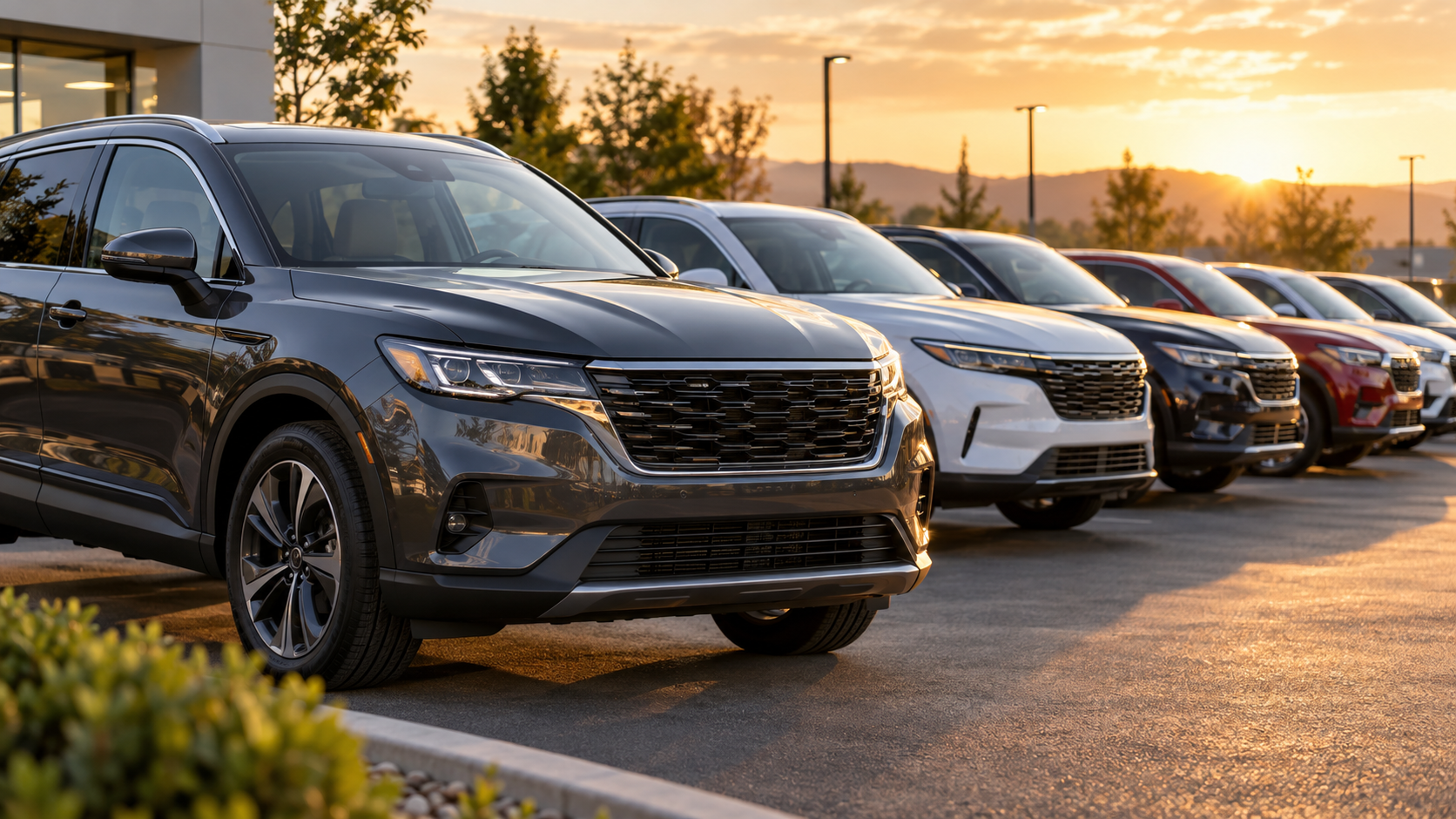
Car dealership photography is the repeatable process of capturing, editing, and publishing vehicle images for your Vehicle Detail Pages (VDPs) and Search Results Pages (SRPs). The goal is not “nice pictures.” It is a pipeline that moves every unit from the lot to the web quickly, consistently, and compliantly across every rooftop you operate.
The single metric that ties the whole operation together is time-to-web (also called time-to-live): how many hours pass between a vehicle arriving in stock and its full image set going live on your VDP. Every decision below should be judged by whether it improves time-to-web without sacrificing quality or compliance.
TL;DR
- Run car dealership photography as a four-stage pipeline — capture → process → QA → publish — with a named owner and an SLA at each stage.
- Measure everything end-to-end by time-to-web (stock-in → live VDP).
- Standardize one minimum shot list across every rooftop for a consistent look.
- Keep human QA for OEM/CPO compliance; AI removes the manual-editing bottleneck, not the reviewer.
- A connected platform — capture app, AI processing, a governance hub, and publishing APIs — is what makes the pipeline repeatable at scale.
- Prove it with a 30-day pilot against your own baseline, then scale.
Why dealership photography matters for VDP and SRP performance
Merchandising imagery influences how shoppers engage with a listing. According to Cox Automotive, combining custom photos with pricing increases Used/CPO VDP views by 87% and New-car VDP views by about 10%.
Two honest caveats matter here:
- This is a correlation reported for photos plus pricing together, not photos alone.
- More VDP views is an engagement signal. It does not guarantee a sales lift, and you should not present it as one.
The practical takeaway is that complete, consistent imagery is a prerequisite for competitive merchandising — not a magic conversion lever.
The dealership imaging pipeline, stage by stage
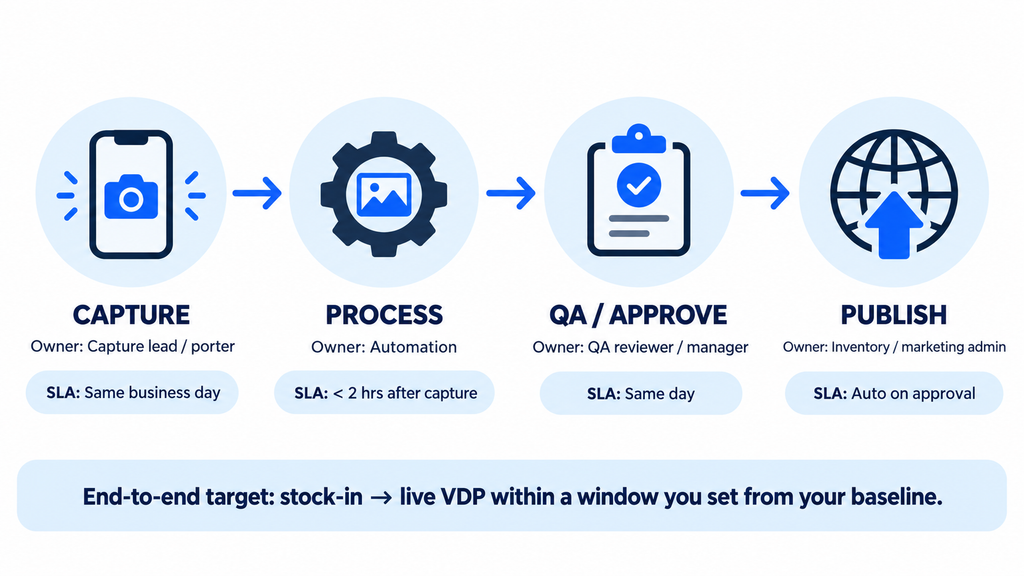
A durable operation has four stages, each with a clear owner and a service-level agreement (SLA). Treat the SLAs below as starting targets to calibrate against your own baseline, not fixed rules.
| Stage | Owner (role) | Core task | Suggested SLA target |
|---|---|---|---|
| 1. Capture | Dedicated capture owner (or porter with a protected, scheduled capture window and a named backup) | Shoot the full shot list per unit | Same business day; units stocked-in after capture hours or on weekends shot in the next capture window |
| 2. Process | Automated pipeline + editor | Backgrounds, cropping, branding, 360 assembly | < 2 hours after capture |
| 3. QA / approve | QA reviewer / lot manager | Compliance + artifact check, approve or reshoot | Same day as processing |
| 4. Publish | Inventory/marketing admin (often automated) | Sync approved set to IMS/DMS and website | Auto on approval |
End-to-end target: stock-in → live VDP within a window you set from your current baseline (target, not a benchmark).
The reason to name owners is accountability: when time-to-web slips, you need to know which stage created the queue, not just that the photos were late. This is also where a connected platform earns its keep — a system that carries a unit from capture through processing, QA, and publishing removes the manual handoffs between stages that usually cause the delays. A media platform such as the CarCutter Hub is designed to sit across all four stages so nothing waits in a disconnected queue.
Multi-rooftop consistency
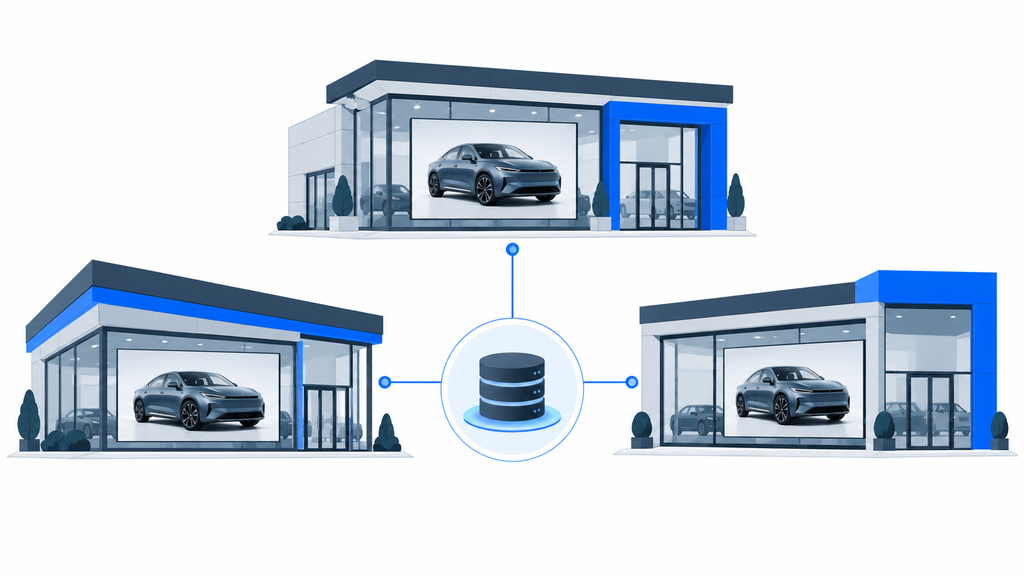
If you run more than one store, the pipeline must produce the same look everywhere: same shot list, same background treatment, same crop, same branding. Centralized shot-list templates and a shared media library (for example, a central hub with roles and per-location controls) keep a five-rooftop group from publishing five different visual standards. The CarCutter Hub enforces this centrally through roles, per-location controls, approval workflows, and time-to-web analytics, so group standards are set once and applied everywhere.
A minimum shot standard
(a starting benchmark, not an industry law)
There is no universal legally mandated photo count. A reasonable starting exterior/interior set for daily used inventory is roughly:
- Exterior: front 3/4 (hero), rear 3/4, both sides, front, rear, wheels/tires
- Interior: dashboard/cluster, front seats, rear seats, cargo area, infotainment screen, odometer
- Detail/feature: any option that drives price (leather, sunroof, tech package)
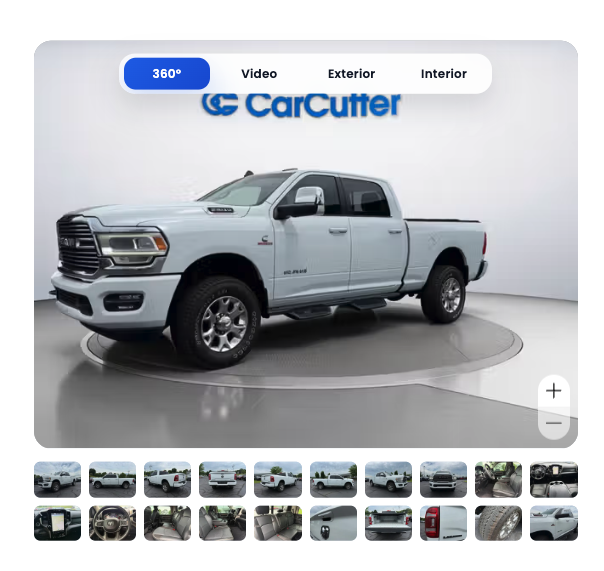
- 360 walkaround: one interactive exterior spin where supported
Set your own count based on segment (a hero/exotic unit justifies more shots than a $6k trade), then hold every rooftop to it. Publish it as an internal standard so QA has an objective checklist. Enforcing the standard is easier when it lives in the capture tool itself: the CarCutter mobile app carries shot-list templates that can be synced from your IMS/DMS, so every operator shoots the same set in the same order.
For interactive 360 walkarounds, a lightweight web player with feature hotspots lets shoppers explore a unit without inflating page load — delivered through CarCutter’s 360 experiences and Feature API, which also lets you place clickable hotspots on options that drive price.
Equipment: the short version
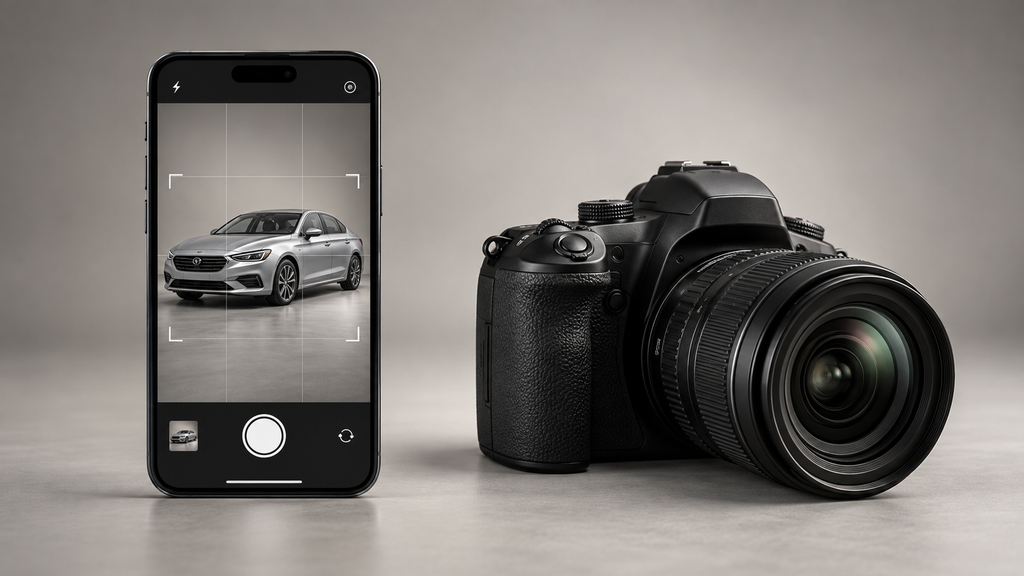
You need a capture device, consistent lighting, and a stable, repeatable setup. For daily inventory, smartphones with a guided-capture app plus consistent lighting usually win on workflow speed and consistency, while a DSLR is best reserved for exotic or hero shots. DSLR delivers objectively higher raw quality, but web/VDP compression narrows the visible gap for standard listings, so the deciding factor for volume shooting is throughput, not sensor size. A guided app like the CarCutter mobile app (iOS and Android) adds smart framing and real-time AI quality checks so phone capture stays consistent across operators.
Because equipment choice deserves its own capex-versus-opex analysis, throughput math, and a decision matrix by rooftop size, see the dedicated guide to dealership photography equipment.
Background replacement: one workflow step, handled carefully
Background replacement is a processing step, not the whole job. AI segmentation can place vehicles on clean 2D backdrops or 3D showroom scenes with matched perspective, shadows, and reflections, which is how multi-rooftop groups get a uniform look from inconsistent lot conditions. CarCutter’s AI background processing performs this step — including branded scenes and license-plate inlay — and offers a keep-original-background mode for listings where altered backgrounds are not permitted.
Two rules govern this step:
- Compliance first: some OEMs restrict altered or AI-generated backgrounds for franchised/CPO listings. Approval is not universal — verify brand by brand before you standardize on it.
- Transparency: replacing a distracting lot background is acceptable; using editing to hide damage or misrepresent condition is not.
For the mechanics, artifact handling, and disclosure language, see the guide to car background replacement for dealerships.
QA and the audit scorecard
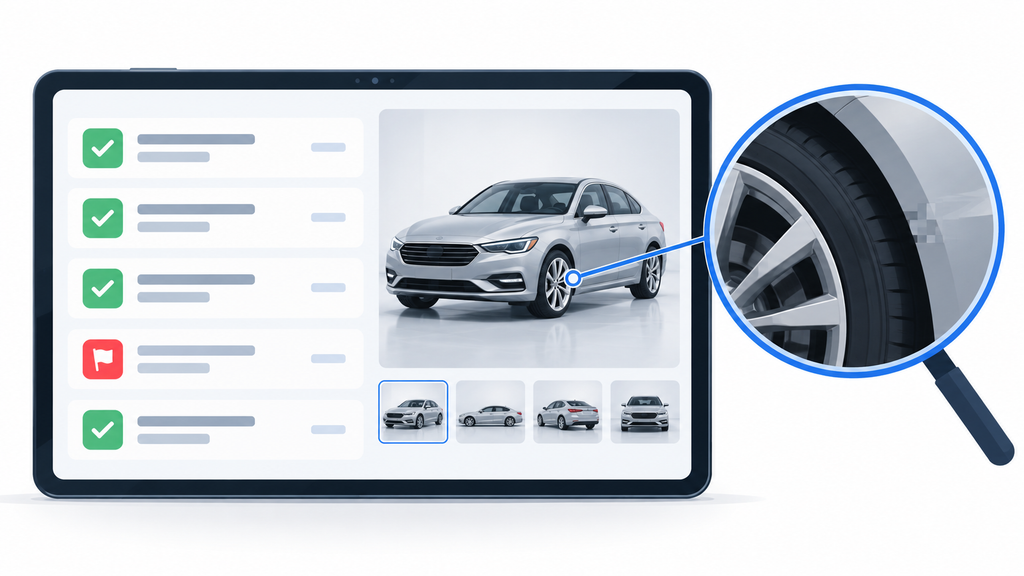
Quality assurance is where compliance and consistency are enforced before publishing. Use a simple pass/fail scorecard on every unit:
| Check | Pass condition |
|---|---|
| Shot completeness | All required shots present |
| Framing/crop | Vehicle centered, consistent crop |
| Background | Approved treatment; OEM-compliant for the brand |
| Artifacts | No haloing on mirrors, wheels, glass, chrome |
| Honesty | No concealed damage; condition accurately shown |
| Branding | Correct logo/plate treatment for the store |
Route any failure back to capture or processing as a reshoot rather than publishing a substandard set. Your reshoot rate is a direct quality signal. Two layers of automation reduce how often this happens: the CarCutter mobile app runs real-time AI quality checks at the point of capture, and the CarCutter Hub provides Hub-based QA, approval workflows, and one-click reprocessing so a flagged unit is corrected without leaving the system.
How AI affects time-to-web and cost
The bottleneck in traditional imaging is manual editing. Vendor observations put manual photo editing at roughly 8 to 15 minutes per image, which compounds fast across a full lot. AI-assisted processing targets that masking-and-cutting bottleneck; vendors report substantial time savings from AI processing (validate on your own inventory). Remember that human QA is still required for OEM compliance — automation shortens the queue, it does not remove the reviewer. With a platform like CarCutter, the time-to-web analytics inside the Hub let you see exactly how much the automated step moves your stock-in-to-live window.
This is a capex-versus-opex decision: a photo booth or DSLR kit is capital expenditure, while an AI processing subscription is operating expenditure. The right mix depends on your volume and rooftop count.
Publishing and integrations: closing the loop to the VDP
Images only create value once they reach the VDP, so the final stage is integration. The fastest operations publish automatically on QA approval rather than exporting and re-uploading by hand. CarCutter’s integrations and APIs — the Image, Feature, Vehicle, and Admin APIs, DataHub ETL, IMS/DMS ingestion, and API/FTP synchronization — push approved image sets straight to your inventory systems and website, then let you verify delivery through the Hub. Automating this handoff is often the single biggest lever on time-to-web because it removes the manual publishing queue entirely.
Measurement: a data-pull checklist
No baseline data is assumed here, so start by pulling your own numbers rather than adopting someone else’s KPIs:
- Time-to-web: average hours from stock-in to full image set live (from your IMS/DMS timestamps)
- Reshoot rate: % of units sent back by QA
- Cost-per-unit: fully loaded imaging cost ÷ units published
- Shot completeness: % of units meeting your minimum standard
- Coverage: % of live VDPs with a complete set and 360 where applicable
- SRP→VDP click-through rate: % of SRP impressions that click into a VDP (from GA4/website analytics)
- VDP engagement: time on VDP and CTA clicks (from GA4/website analytics)
Time-to-web analytics inside the CarCutter Hub can automate the first metric; the rest can be pulled from your DMS, QA logs, and website analytics.
Next actions: a staged imaging pilot
- Assign owners to capture, processing, QA, and publishing today.
- Set units-per-operator-per-day from your pilot data; staff captures and QA to daily stock-in volume and name a backup for each role.
- Publish your minimum shot standard and QA scorecard.
- Run a 30-day pilot on a sample of ~50–100 units with one workflow, as part of one master 30-day imaging pilot (stage the levers: equipment → background → vendor) under a single owner, rather than four concurrent tests.
- Measure time-to-web, reshoot rate, and cost-per-unit against your current baseline.
- Set a decision date at day 30 to keep, adjust, or scale the workflow.
Once your standard is set, go deeper on the two levers that move time-to-web and cost the most — dealership photography equipment and car background replacement for dealerships — and, if you currently use a legacy imaging vendor, review alternatives to legacy photo vendors.
Where CarCutter fits your imaging pipeline
CarCutter is built to run this entire pipeline as one connected system, so time-to-web improves without adding headcount:
- Capture: the CarCutter mobile app (iOS and Android) gives porters smart framing, IMS/DMS-synced shot-list templates, real-time AI quality checks, VIN/barcode scanning, and offline capture with automatic upload — turning any phone into a consistent capture station.
- Process: CarCutter’s AI background processing handles segmentation, clean 2D backdrops or true 3D showroom scenes with matched shadows and reflections, auto centering and cropping, branding, and license-plate inlay.
- Interact: exterior 360 spins play in a lightweight web player with feature hotspots via the Feature API.
- Govern: the CarCutter Hub is your central media library with roles, per-location controls, QA and approval workflows, bulk actions, reprocessing, and time-to-web analytics across every rooftop.
- Publish: Image, Feature, Vehicle, and Admin APIs, DataHub ETL, and IMS/DMS integrations sync approved sets to your inventory systems and website automatically.
See how the pieces work together on the CarCutter website, explore the CarCutter Hub, browse the developer and API documentation, download the app on the App Store or Google Play, or book a demo to map CarCutter to your current time-to-web baseline.
FAQ
There is no legally mandated count. Start with a complete exterior/interior set plus price-driving detail shots and a 360 spin where supported, then set your own standard by segment and hold every rooftop to it.
Set it from your own baseline. Measure your current hours from stock-in to a live, complete VDP set, then target a realistic reduction — the point is a consistent, tracked number, not an industry figure.
Not to start. Most dealers shoot daily inventory with a smartphone, a guided-capture app, and consistent lighting; a booth is a capex bet that only pays off at high volume. See the dealership photography equipment guide.
It depends on the brand. Some OEMs restrict altered or AI backgrounds, so verify brand by brand and keep a keep-original-background option available. Details are in car background replacement for dealerships.
No. Cox Automotive links custom photos plus pricing to more VDP views (a correlation and engagement signal), but complete, consistent imagery is a prerequisite for competitive merchandising — not a guaranteed conversion lever.