


How Automated Hotspots Boost VDP Engagement for Dealerships
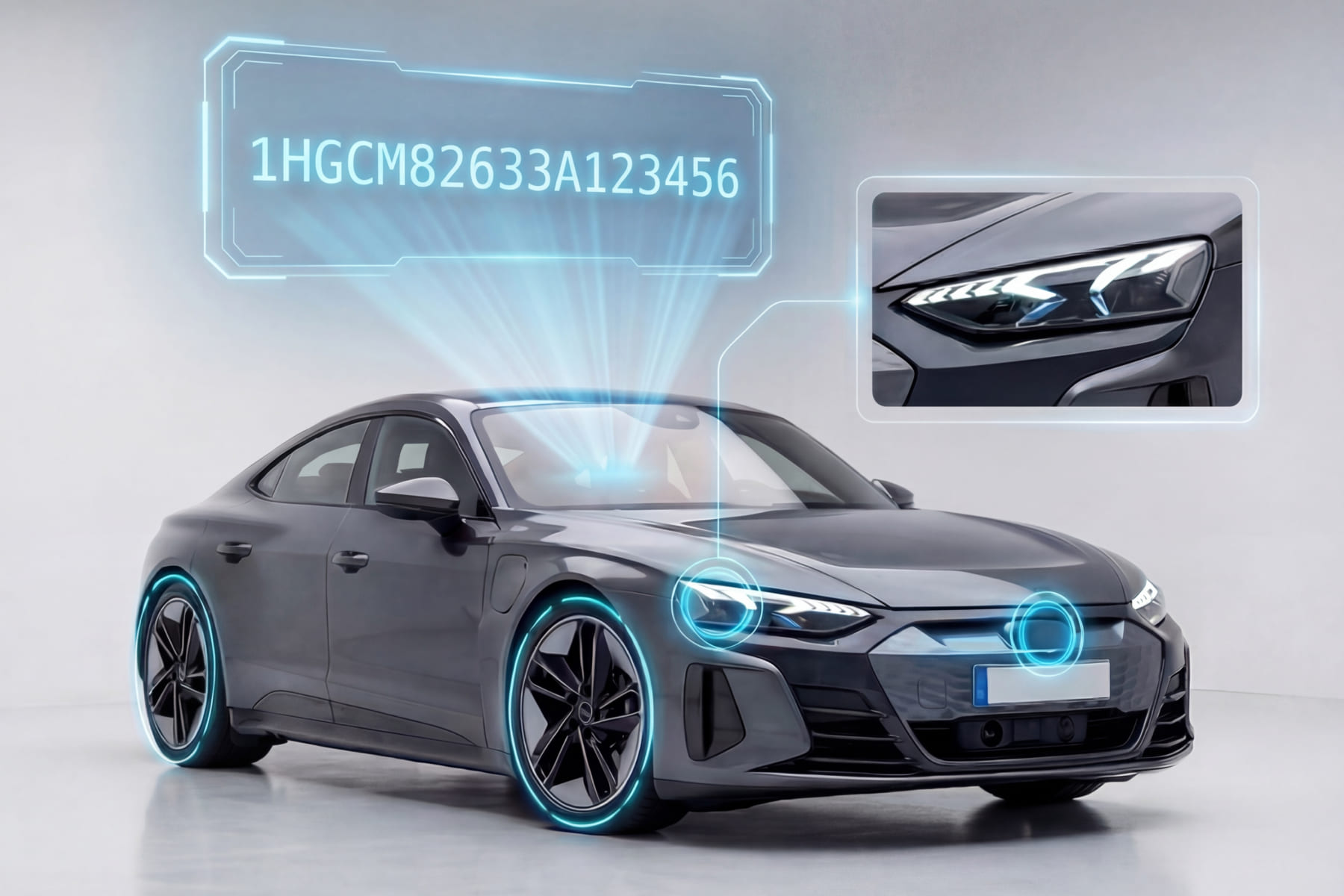
Most vehicle detail pages are static photo galleries. Shoppers scroll, glance, and leave. Today’s car buyers hit over 62 digital touchpoints before making a purchase decision, and the VDP is one of the highest-value conversion moments in that journey. If yours only offers a photo carousel and a spec sheet, you’re losing shoppers right when they’re closest to taking action.
CarCutter’s Hotspots feature changes that. These interactive icons sit directly on vehicle images, letting shoppers click to explore features, upgrades, and condition details, all without leaving the page. In this guide, we’ll cover how automated hotspots work, why they improve VDP engagement and lead quality, and how to put them to work on your inventory.
TL;DR: Automated hotspots are clickable icons placed on vehicle images and 360 spins that let shoppers explore features and condition details directly on the VDP. Unlike manual hotspots, they are populated automatically through a VIN-linked data feed from a trusted provider, so every vehicle gets interactive content the moment it’s listed. They increase time on page, generate more interaction events, and improve lead quality with zero manual work per vehicle.
What Are Hotspots on Vehicle Detail Pages?
Hotspots are interactive icons placed directly on vehicle images and 360 spins. When a shopper clicks one, they see details about a specific feature, upgrade, or condition item: clickable annotations like “Here is the panoramic sunroof” or “This scratch was noted during inspection.”
CarCutter offers both manual and automated hotspots.
Manual hotspots let your team place icons on specific images. This gives you full control over what to highlight on individual vehicles.
Automated Hotspots go further. They use VIN-linked data from trusted providers to place the right hotspots on the right features automatically. Zero manual work. No tagging, no per-vehicle setup. Every listing gets interactive VDP features from the moment it goes live. Automated Hotspots work with major IMS/DMS platforms and require no custom development. CarCutter handles placement, mapping, and publishing automatically.
Each hotspot can include a title, description, and a linked detail shot when available. The result is a layered, self-guided experience that goes well beyond a standard photo gallery.
How Do Interactive Hotspots Improve VDP Engagement and Lead Quality?
VDP visits represent one of the highest-value conversion moments in the car-buying journey. When a shopper reaches a vehicle detail page, they’re in an intent-driven mindset. They’re not casually browsing. They’re evaluating. Interactive hotspots for vehicle detail pages give them the detail they need to answer one question: “Is this the right vehicle for me?”
Interactive elements on vehicle listings help shoppers explore details and visualize ownership before setting foot on the lot. When someone can click on a panoramic sunroof or review adaptive cruise control details, they move from browsing to deciding.
When shoppers can answer their questions without leaving the page, the results follow:
- Longer time on page as they explore features one by one
- Higher vehicle detail page interaction rate as clicks and engagement events accumulate
- Better lead quality because shoppers self-qualify through deeper exploration
A shopper who has explored 20-inch wheels, Bose audio, and adaptive cruise control via hotspots arrives at your dealership more informed, more committed, and less likely to no-show.
For used and CPO inventory, condition transparency is especially valuable. When shoppers can see exactly what they’re getting before the visit, post-visit surprises drop and trust goes up. For aged inventory sitting 60 or more days, hotspots surface value and condition details that help shoppers understand why the unit is still worth considering, protecting your margin and helping accelerate turn.
That’s how you boost VDP conversion with interactive vehicle images: give buyers the confidence to take the next step.
If you want to see how automated hotspots look on your actual inventory, book a demo with CarCutter.
Feature Hotspots vs. Damage Hotspots: What to Show Shoppers and Why
CarCutter offers 2 types of interactive hotspots, and both play a distinct role in VDP shopper engagement.
Feature Hotspots
Feature Hotspots spotlight premium details and standout equipment: the panoramic sunroof, 20-inch alloy wheels, leather interior, Bose sound system. For shoppers comparing similar-looking vehicles, these details tip the scale.
They also help justify pricing by making value visible. Instead of burying equipment in a text spec sheet, you surface it right where shoppers are already looking: on the images themselves.
Damage Hotspots
Damage Hotspots highlight scratches, dents, scuffs, rust, and other wear. This may seem counterintuitive, but transparency builds trust, and trust drives sales. As the CarCutter Hotspots page puts it: “Nothing to hide. Everything to gain.”
Damage Hotspots reduce the “not as described” objections that kill deals after test drives. A buyer who already knows about a small dent on the rear quarter panel won’t walk away over it. They’re pre-qualified on condition. A buyer who discovers it on the lot might.
Where Hotspots Move the Needle Most
Not every vehicle benefits equally. Here’s where hotspots tend to make the biggest difference:
- Aged inventory (60+ days): Surface value to help shoppers understand why the unit is still worth considering.
- CPO and certified used: Highlight reconditioning and inspection details that set these vehicles apart.
- High-margin units: Use feature hotspots to justify loaded trim pricing by making every upgrade visible.
- Vehicles with minor cosmetic wear: Use damage hotspots to pre-qualify shoppers so condition surprises don’t derail the deal.
How They Work Together
Both Feature and Damage Hotspots work on static images and 360 spins. A hotspot placed on a static image is automatically mapped to the correct location on a 360 view, keeping the experience consistent across formats.
Hotspots are fully customizable: type, color, icons, and branding can all be tailored to match your dealership’s look and feel.
CarCutter’s automated hotspots are part of a complete dealership visual merchandising workflow. From guided capture in the CarCutter App, through AI backgrounding and enhancement, to automatic hotspot placement and direct publishing to your IMS/DMS, every step is connected.
Key Takeaways
VDP engagement isn’t just about having more photos. It’s about giving shoppers a reason to interact with your listings. When you combine real, high-quality images with interactive detail, you create vehicle detail page engagement best practices that actually convert.
Here’s what to remember:
- Static galleries struggle to convert. Shoppers expect interactive, self-guided experiences, especially on used and CPO inventory where features and condition vary vehicle to vehicle.
- Automated hotspots remove the manual work while ensuring every vehicle gets consistent, interactive merchandising.
- Feature Hotspots justify pricing and help shoppers see value. Damage Hotspots build trust and reduce post-visit objections.
- Both types work on static images and 360 spins, with automatic mapping between formats.
How to increase VDP engagement at your dealership starts with making your VDP a destination, not a dead end. When shoppers can explore, discover, and connect with a vehicle on their own terms, they arrive at your dealership ready to buy. VDP engagement best practices are rooted in this simple shift: from passive viewing to active exploration.
If you’d like to turn static VDPs into interactive selling tools that build buyer confidence and move inventory faster, book a demo with CarCutter.
Hotspots are interactive icons placed on vehicle images that shoppers can click to view details about specific features, upgrades, or condition information. They turn static photos into guided, explorable experiences directly on the VDP.
Manual hotspots are placed by your team on individual vehicle images using the CarCutter App. Automated Hotspots use VIN-linked data from trusted providers to place the right icons on the right features automatically, with zero manual work per vehicle.
CarCutter’s Automated Hotspots cover up to 10 key areas per vehicle: rims, motorization, trunk, roof, steering wheel, front panel, headlights, side mirrors, driver door handle, and driver seat. Each hotspot includes a title, description, and linked detail shot when available.
Yes. Both Feature Hotspots and Damage Hotspots work on static images and exterior 360 spins via the CarCutter WebPlayer. A hotspot placed on a static image is automatically mapped to the correct location on a 360 view.
Hotspots give shoppers interactive content to explore directly on the vehicle detail page, increasing time on page and generating more interaction events. Shoppers who engage with hotspots self-qualify by exploring vehicle details in depth, which leads to higher-quality leads and more committed buyers.
Yes. CarCutter’s Damage Hotspots highlight scratches, dents, scuffs, rust, and other wear directly on vehicle images. This transparency builds buyer trust and reduces ‘not as described’ objections after test drives.
“No. Automated Hotspots are placed using VIN-linked data, so they require zero manual work per vehicle. They are part of CarCutter’s end-to-end visual merchandising workflow and appear on your listings automatically, keeping your time to market fast.
CarCutter provides both manual and automated hotspot options. Manual hotspots are placed through the CarCutter App. Automated Hotspots are activated as part of your CarCutter setup and populate automatically for every vehicle. To get started, book a demo and see hotspots on your own inventory.