


Multi-Rooftop Merchandising: Keeping Listings Consistent Across Your Group
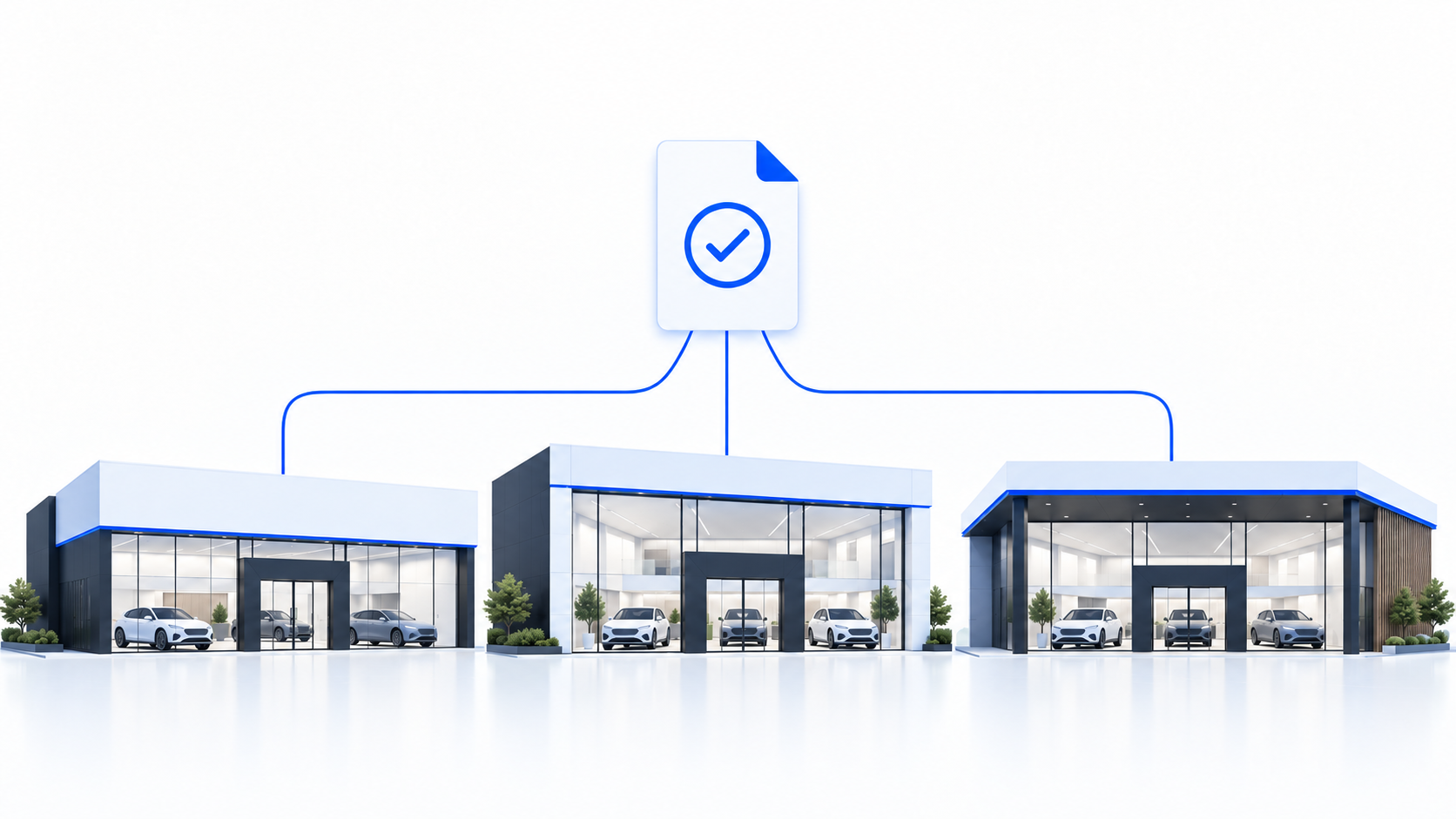
Keeping vehicle presentation consistent across multiple dealership rooftops requires more than a shared photo style. Each location needs clear standards, local ownership and a reliable way to identify listings that are incomplete, inconsistent or not yet live.
The challenge is to create one recognisable group experience without forcing every brand, store or vehicle through an identical process.
TL;DR
- Set one shared merchandising standard for every rooftop.
- Allow documented local and OEM variations where needed.
- Give each store a named owner and backup.
- Track the difference between processed images and images verified live on the vehicle page.
- Pilot the workflow before rolling it out across the full group.
What consistency means in multi-rooftop merchandising
Consistency does not mean every vehicle detail page looks pixel-for-pixel identical. A franchise store and a pre-owned lot may present to different buyers, and some original equipment manufacturer (OEM) programmes may have their own presentation requirements.
Consistency means the things a shopper uses to judge and compare a vehicle are reliable everywhere:
- The same minimum set of exterior, interior and detail views.
- Honest representation of the vehicle’s actual condition.
- Complete and accurate listing information.
- A recognisable group presentation style.
- Approved room for OEM, brand or condition-specific variations.
Think of it as a shared standard with documented local variants, not one rigid template.
The shared standard is the floor every rooftop meets. Local variants are approved exceptions – such as an OEM scene requirement, an approved-used callout or a retailer-specific disclosure.
One honesty principle should guide the whole system: strong visuals are not a condition report, and presentation or background enhancement must never hide damage or misrepresent a car. UK advertising claims must be truthful, non-deceptive and backed by evidence, according to the ASA’s advertising guidance.
Name the owners: an ownership and readiness framework
Assign ownership before evaluating software. When no one at a retailer is clearly responsible for a step, that step can vary from rooftop to rooftop.
The recommended structure is:
- Central owns the shared standard.
- Central approves brand and OEM exceptions.
- Local merchandising leads approve routine image sets.
- Local teams publish and verify listings.
- Technical feed or website owners handle synchronisation problems.
| Merchandising decision | Owner | Backup |
|---|---|---|
| Shared capture and listing standard | Group merchandising lead | Second central manager |
| Approved OEM, brand and condition exceptions | Group merchandising lead approves; local lead requests | Central registry keeper |
| Daily capture of required views | Local capture operator | Trained local backup |
| Recording the photo-ready timestamp | Local capture operator or merchandising lead | Store backup |
| Routine review before publishing | Local merchandising lead | Store backup |
| Publishing and verifying the approved set on the vehicle detail page | Local merchandising lead, with feed or website support | Store backup |
| Technical synchronisation exceptions | Inventory-feed or website owner | IT or vendor contact |
| Group visibility and standards review | Group merchandising lead | Second central manager |
Before the process runs, each vehicle needs basic readiness:
- The vehicle is accessible and the keys are available.
- The vehicle is in a usable capture location.
- The car is clean enough to show its actual condition honestly.
- The vehicle is not being prepared in a way that hides wear or damage.
- The photo-ready handoff is documented.
- A backup is named for the normal capture and approval owner.
This is not a full reconditioning or cosmetic-readiness gate. It is a practical check that allows the team to capture and present the vehicle honestly.
The workflow, end to end
A consistent listing should follow the same basic path at every rooftop.
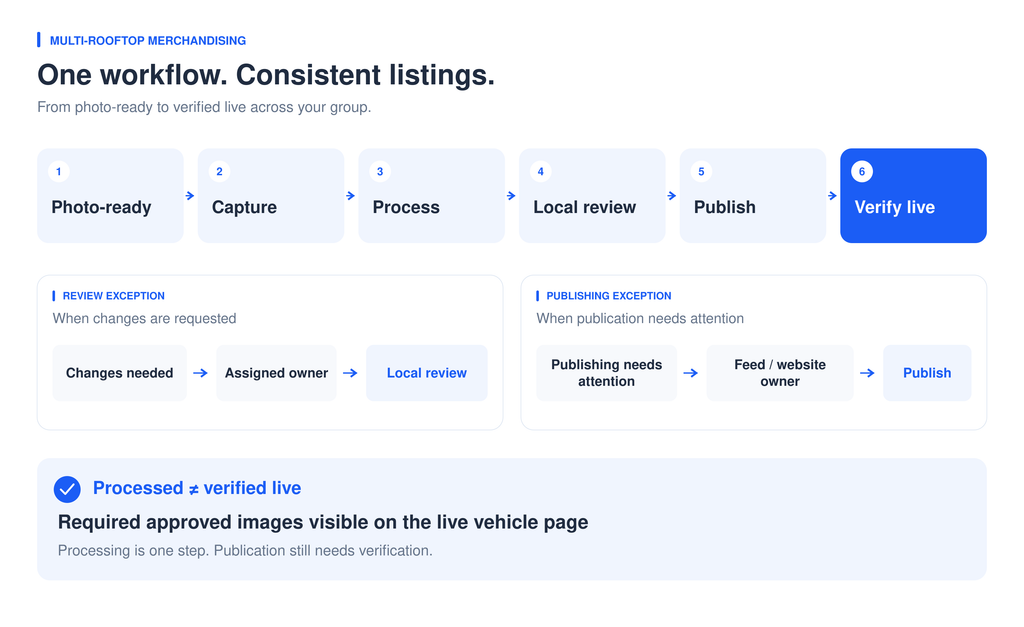
- Photo-ready handoff. The local capture operator or merchandising lead records when the vehicle is ready to photograph.
- Guided capture. The local team captures the required views and sequences them consistently. CarCutter’s guided image capture provides framing and shot-list guidance with configured synchronization to supported inventory systems.
- Processing. Images are standardised and, where appropriate, placed against a consistent branded backdrop. CarCutter’s AI backgrounding supports customisable branded scenes with matched perspective, shadows and reflections.
- Local review. The local merchandising lead reviews the set against the shared standard.
- Sync and distribution. Approved media and data move to the vehicle detail page and other channels through the configured inventory management system (IMS) or dealer management system (DMS).
- Verify live. The local lead confirms that the required, approved images and information are visible on the live vehicle page.
Processed and live are two different facts. Keep live verification as an explicit step with a named owner.
Set an initial publishing standard without creating unnecessary holds
Decide what a listing must meet before it goes live:
- Accurate vehicle identity.
- Usable images.
- Required disclosures.
- Correct listing information.
- Applicable channel or OEM requirements.
Optional cosmetic enhancements should not hold an otherwise accurate listing. For example, an additional branded background or extra angle may be useful, but it should not delay an accurate listing unnecessarily.
When something required is missing, keep the incomplete status visible internally with an owner and a next action.
The initial publishing standard is separate from the finished listing standard. Your team may publish a usable listing first, but the completed workflow should still require the approved image set to be verified on the live vehicle page.
Handle exceptions without breaking the standard
Exceptions are normal in a multi-rooftop group. Unmanaged exceptions create inconsistency.
When a store encounters something the standard does not cover – such as an OEM change, an immovable vehicle or a condition-specific disclosure – the local merchandising lead should raise a specific exception.
Central then decides whether to:
- Approve a documented variant.
- Confirm that the existing standard still applies.
- Add the situation to the next standards review.
A store can deviate when there is an approved, recorded reason. It should not deviate by default.
Build a shared merchandising scoreboard
Use the same definitions across locations. These are recommended operating measures, not industry benchmarks or guaranteed native software metrics.
Photo-ready-to-live
Measure the elapsed time from the documented photo-ready handoff to the required approved images being verified live on the vehicle detail page.
Report:
- The median for completed vehicles.
- The age of the pending queue separately.
Do not hide unfinished vehicles inside an average.
First-pass acceptance
Measure image sets accepted during the first review divided by all image sets first reviewed during the same cohort.
Use this as a signal for reviewing capture guidance, training or local execution.
Listing completeness
Measure the number of audited live listings meeting the current standard divided by the number of listings audited.
Report this as a sample, not complete inventory data.
A group-level view that filters raw and enhanced imagery by vehicle identification number (VIN), rooftop, date and processing status, with location reporting and role-based permissions — such as CarCutter Hub’s image library and rooftop reporting — can help teams see status across stores.
Processing status is not the same as verified-live status, so keep the live check in the definition of done.
Start with a controlled pilot
A practical rollout looks like this:
- Select contrasting rooftops.
- Publish one shared standard.
- Document approved variants.
- Assign owners, backups and exception routes.
- Run the workflow on a defined sample.
- Verify the live listings.
- Review the biggest gap.
- Expand only after the process is clear.
If the biggest gap is an undefined owner or missing backup, fix that before buying software.
Related guides
Continue from group-wide consistency to the next implementation decision:
- Evaluate vehicle merchandising software when comparing capture, processing, media management or publishing workflows.
- Use practical vehicle merchandising strategies when improving listing accuracy, useful coverage and measurement.
- Evaluate automotive digital retailing tools when testing online buying steps and the handoff to sales staff.
FAQ
You can assign those responsibilities to one trained person if the workload permits. Name a trained backup and arrange periodic checks by a second reviewer rather than relying only on self-approval.
Have the receiving team check vehicle identity, current condition and its approved branding requirements before reusing the images. Verify the required approved images on the receiving store’s live vehicle page; do not assume transfer updates happen automatically.
Give each change a version, effective date and visual examples, then brief local owners. Apply it to new captures and prioritize inaccurate existing listings; decide which older images need updating instead of ordering a blanket reshoot.
Start here: Pilot one shared standard across contrasting rooftops, assign the owners and backups, and run the workflow through live verification. If the biggest gap is an undefined owner or missing backup, fix that before buying software.